Kindle Icon Library
Designing one icon language across Kindle devices, apps, and shopping experiences.
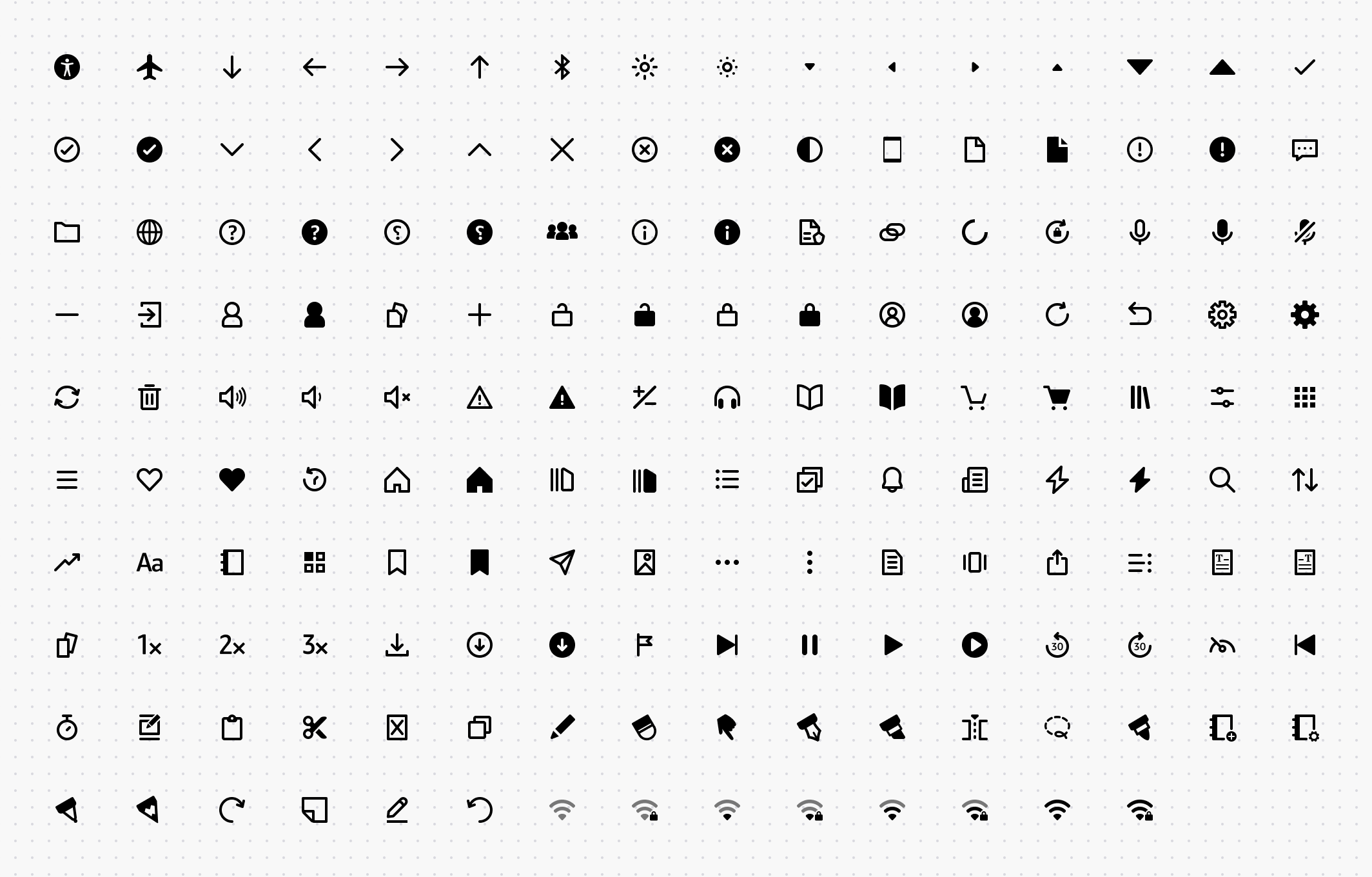
Context
When I joined Kindle in mid-2022, we had about half a dozen different icon libraries that would show up in Figma’s assets panel. Some were from various business units, and some had two or more icon styles within the same business.
Kindle is a pretty unique surface and business unit inside Amazon. Icons used on Kindle have to live on the web shopping experience (and conform to the global Amazon shopping experience you know), an e-reader that has unique display and rendering considerations, iOS and Android apps, and other Amazon devices.
Previously, Kindle’s e-reader followed a 2px stroke-weight icon style with a larger volume compared with the Amazon shopping experience, which had slightly less volume for the icons.
The iOS and Android apps, on the other hand, had a variety of stroke weights, from 1px icons to 1.3px stroke-weight icons.
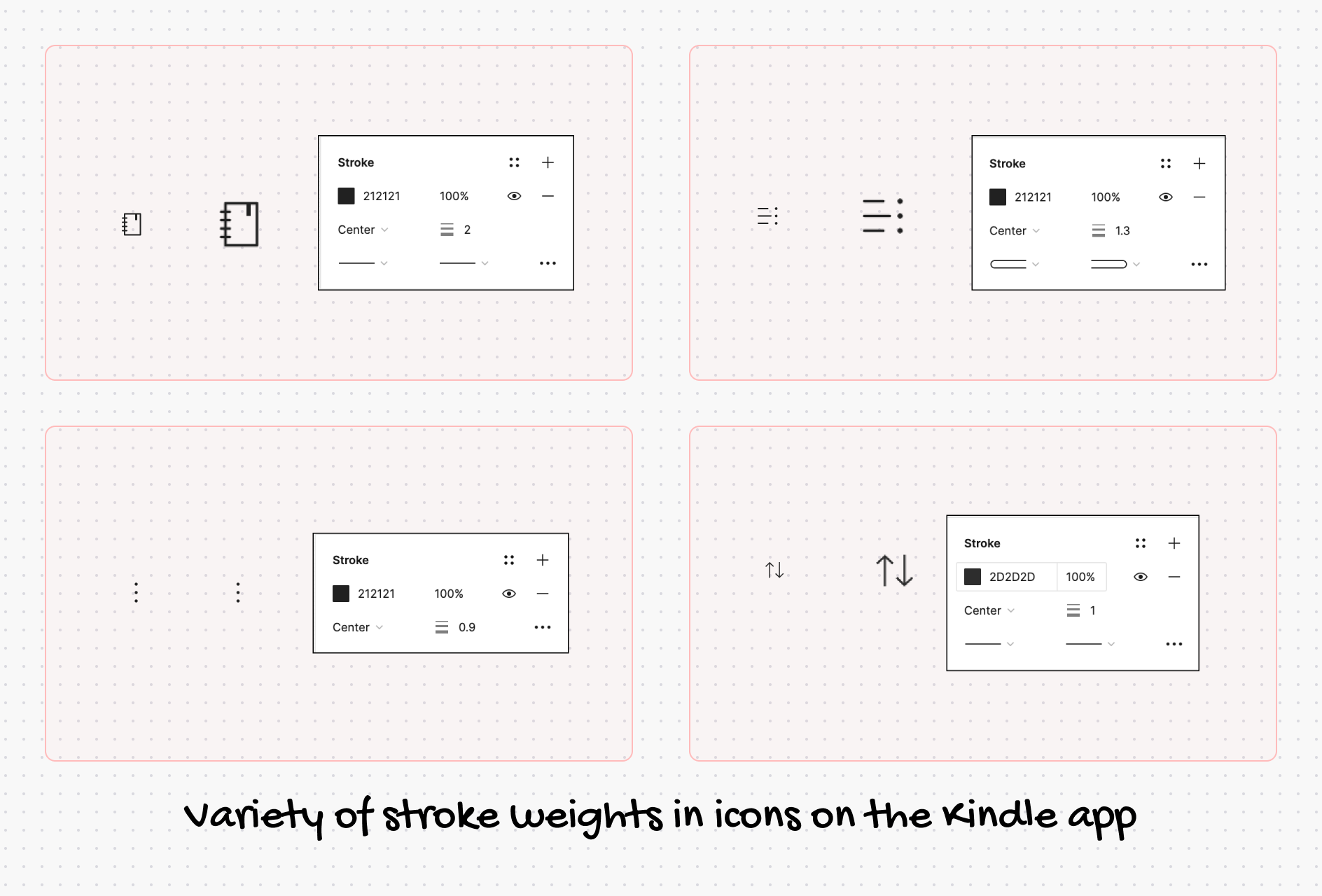
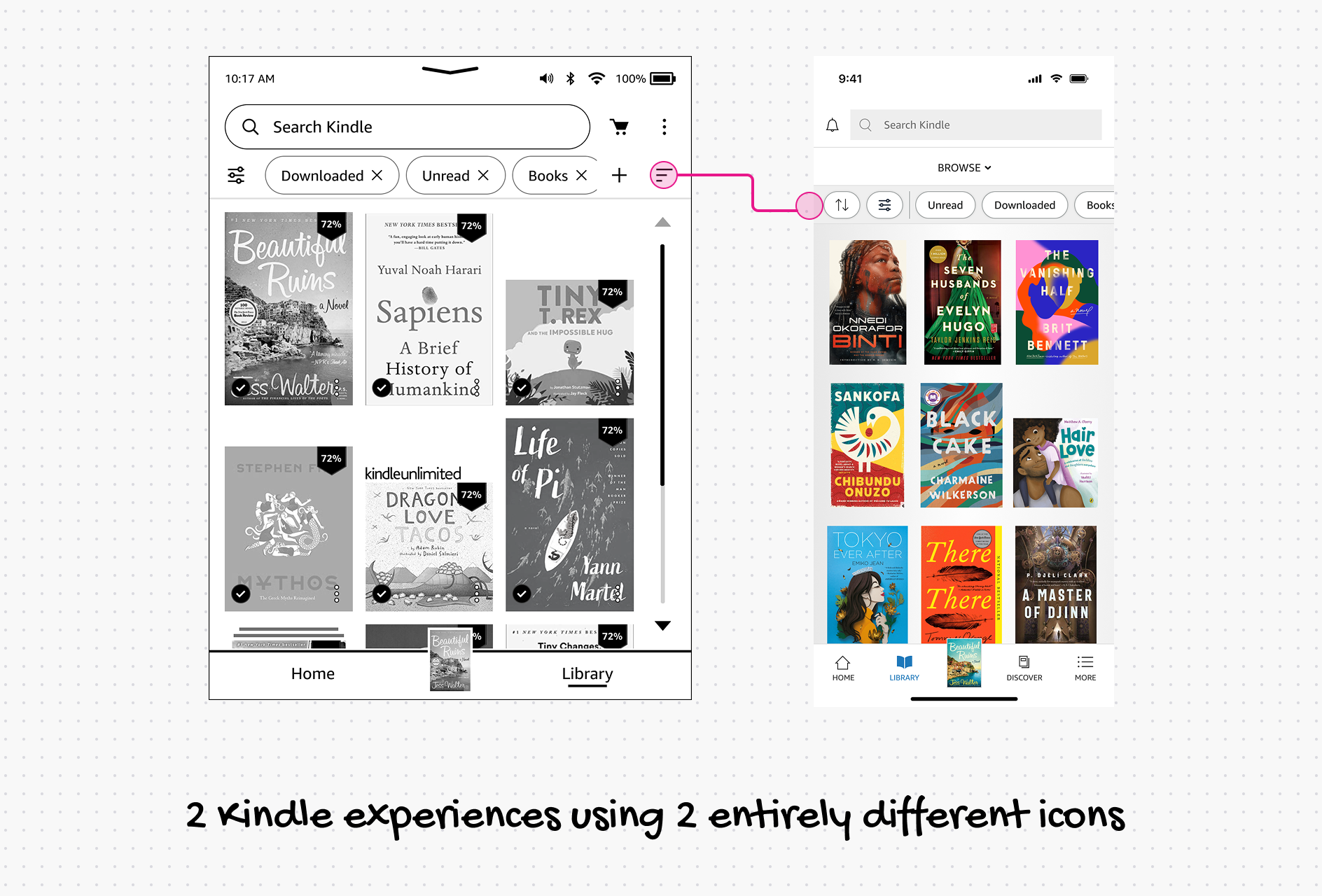
All of these factors combined multiplied the effort required across multiple departments, thereby slowing output. More rules, more communication, and duplicate icons that needed to be made at least three times, if not more.
Another challenge I saw was the lack of a reliable process for making new icons. If a team or a designer needed an icon that didn’t exist, they’d either improvise or pull from an existing library that wasn’t designed for the surface they were working on. The inconsistency compounded with every new icon added. This resulted in the same experience on Kindle having very different icons. What was supposed to feel like one Kindle experience felt like a fragmented set of features bolted together.
Learning to design icons
I’m not an icon designer by trade. Heck, I didn’t even know how to design one icon, and that was a gap I always wanted to close.
Fortunately, a few weeks before, I had a chance to take Bonnie Kate Wolf’s online course on Mastering the Art of Product Iconography.
One of the things that I loved about the course was the critique of everyone’s work, talking about the good and the areas to improve. I received one piece of feedback from her along the lines of, “This is the kind of person I’d enjoy working with.” What I’d really done was throw a kitchen sink of options at it and keep everything visible: all of my failed attempts and the various ways to represent a concept.
That stayed with me! And through some osmosis, I also took away how creative people in my batch were at making icons.
Solving Kindle’s icon problems
Before I started to lay down the library and the direction, I surfaced the problems to our design leadership and suggested possible approaches to tackle this as a holistic workstream. I also identified people who’d serve as a “trusted pair of eyes.”
Once I had the support, I started tackling the foundation and what made up Kindle’s icon language. Establishing keylines and a visual language was a crucial decision. Some of the inspiration came from our Kindle e-reader display, which has soft external corners and sharp internal corners.
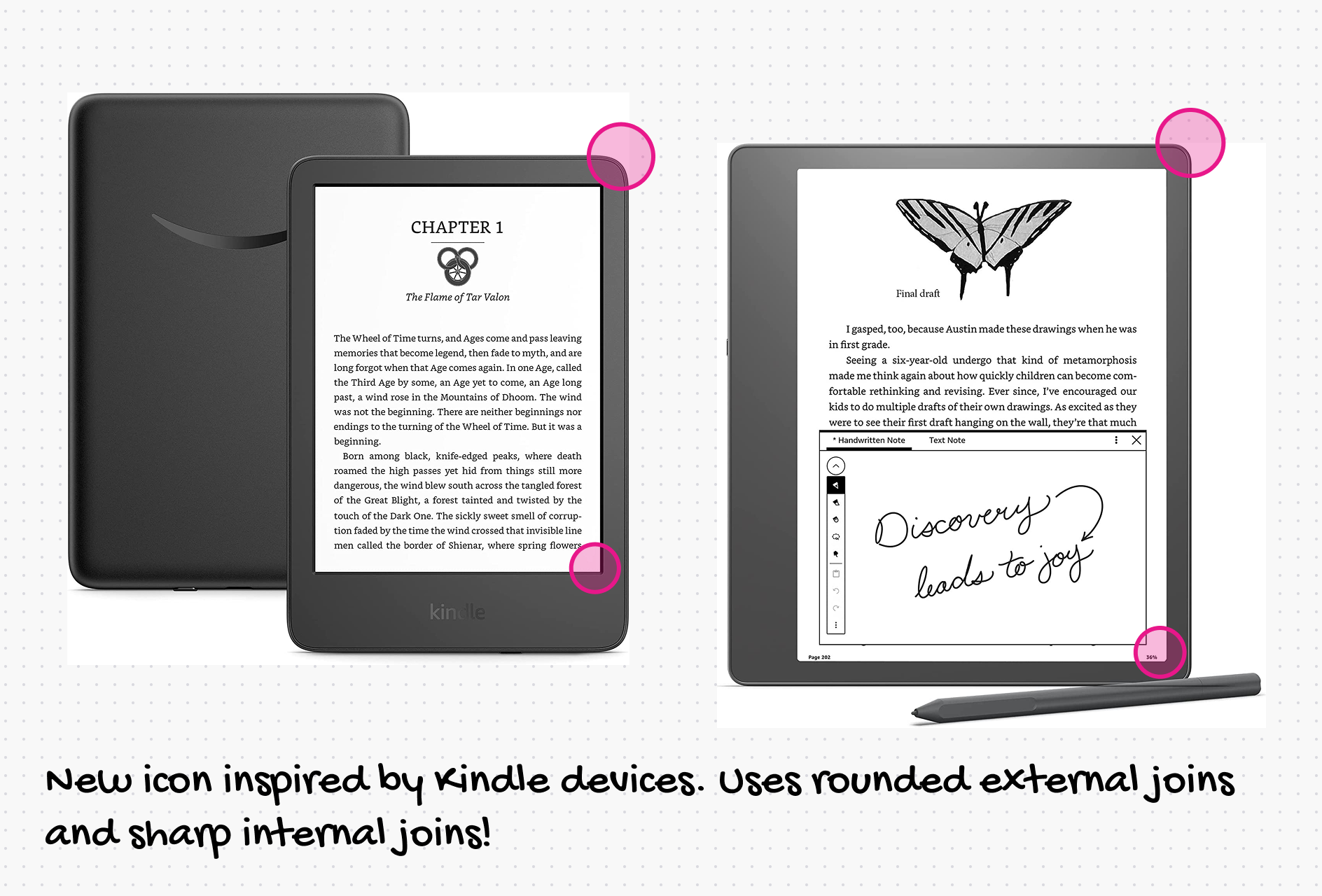
Here’s the final set of characteristics that we decided to go with.
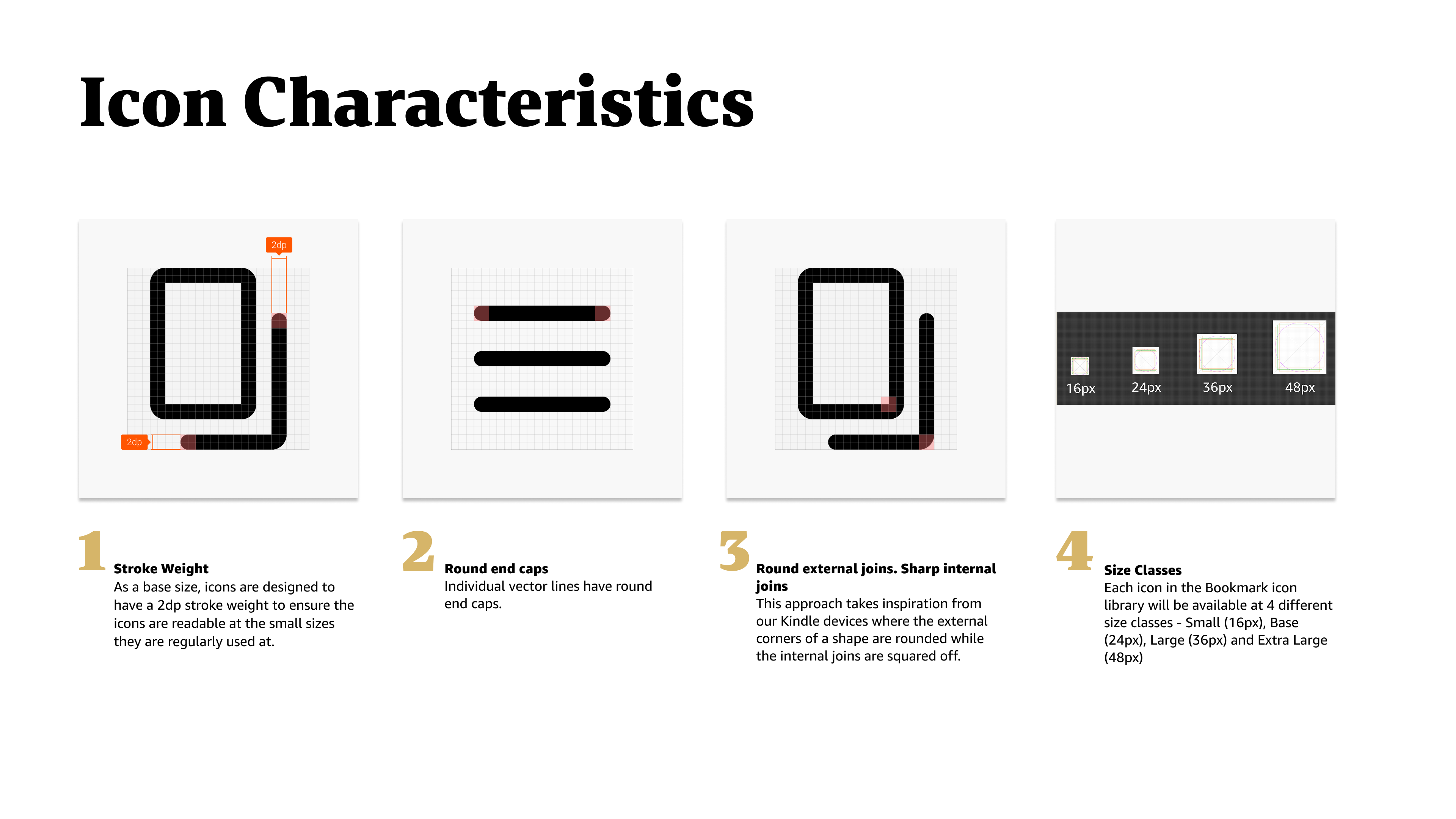
Once we had the characteristics down, I started designing the icons. I designed 100+ icons. For each one, I made three to four variations and ran them through multiple design critiques, iterating and consolidating feedback. At every round, a small set of icons would get finalized, and I’d receive tons of feedback to improve. And I kept at it.
Here are the icons that were discarded for various reasons.
Rendering icons on E-reader
The constraints of the rendering technology drove a large part of the decision to have bolder, 2px stroke-weight icons. The reason is that 2px stroke-weight icons survive rasterization and scaling more effectively. They also produce stronger contrast on a reflective, relatively slow-refresh display (around 2–5 FPS). And finally, they remain legible under imperfect lighting, display ghosting, and different device densities.
Documentation & organization
Drawing the icons was just one part of the story. I put together a small set of guidance for making new icons—the keyline template, stroke-weight considerations, and simple rules that designers can follow or get support on from the newly formed design system team. The published guidance and resources live on the internal design system site.
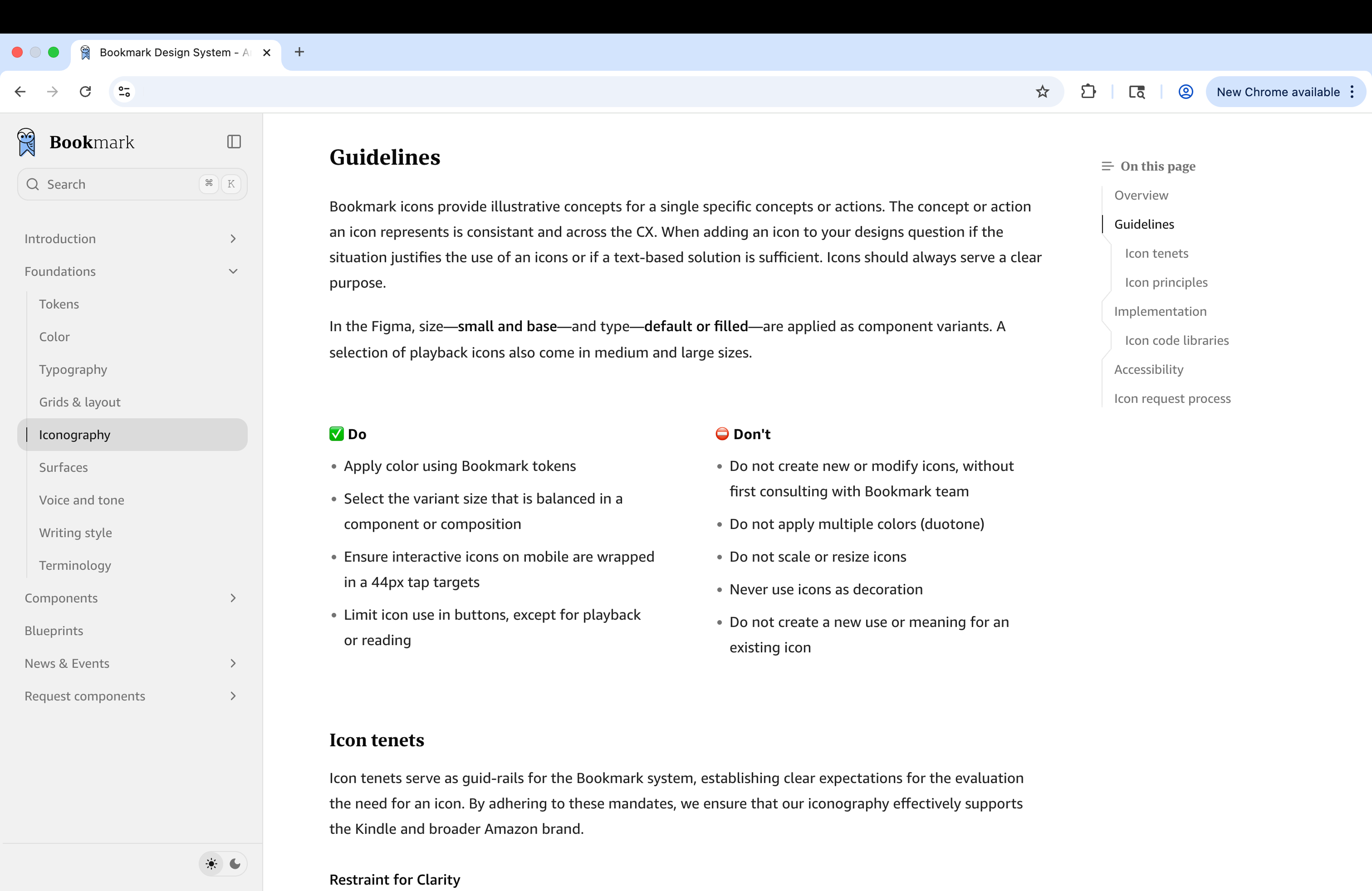
The icons are also organized so that you don’t need to know the exact icon name to find the icon you are looking for. You can look them up by alternate names or by functions you think the icon performs.
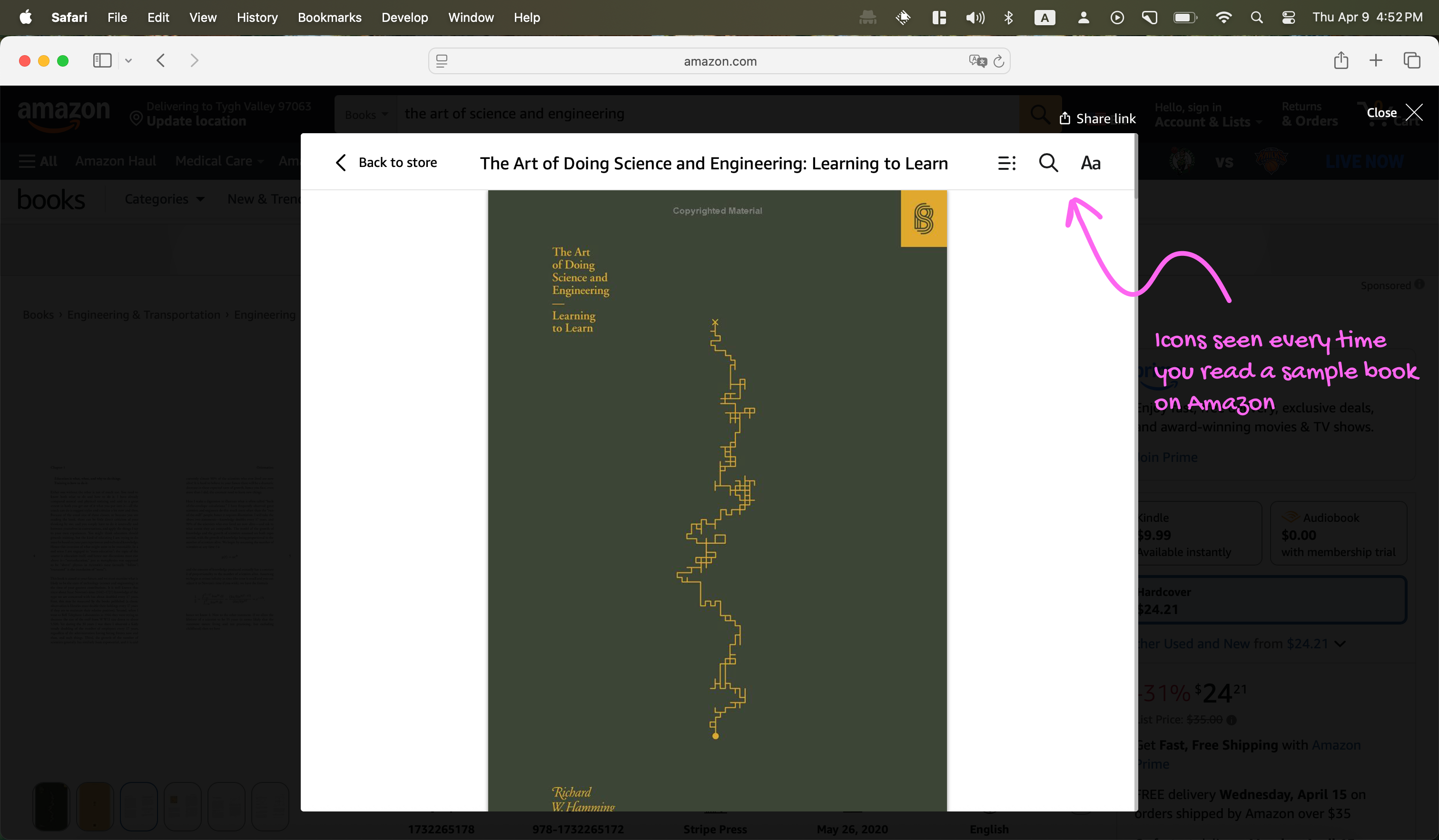
Kindle customers now encounter these icons across devices and apps, as well as Amazon.com. Every time you read a book on Kindle or open a book sample on Amazon.com, you see icons I worked on.
Credits & reflections
While I led the creation and design of the revamped icon library, it took a village to bring this to life. Credits go to some of my favorite people—Sarah Sinclair, Sam Tobias, Stewart Murrie, Christopher Michon, Rebecca Crimmin, Amber Hahto (Design leadership), Alex Poga (Engineering)—and many other designers and engineers who have since contributed many more icons to the library and brought it to production.
Three years later (in 2026), I think 2px-only icons are a little too heavy for the chrome inside the book on non-e-reader surfaces such as our Windows and macOS apps. However, at the time of this icon library’s inception, we weren’t ready to have a surface-specific icon library.